

WW Inspections: Fromwalk-aroundtoreportinminutes.
Your inspectors and drivers get a guided app on iPhone, iPad and Android. Your office reviews every finding, step by step. Your customer gets a clear report by text. Built for car dealers and fleets.
Coming soon: App Store & Google Play
Already a customer? Sign in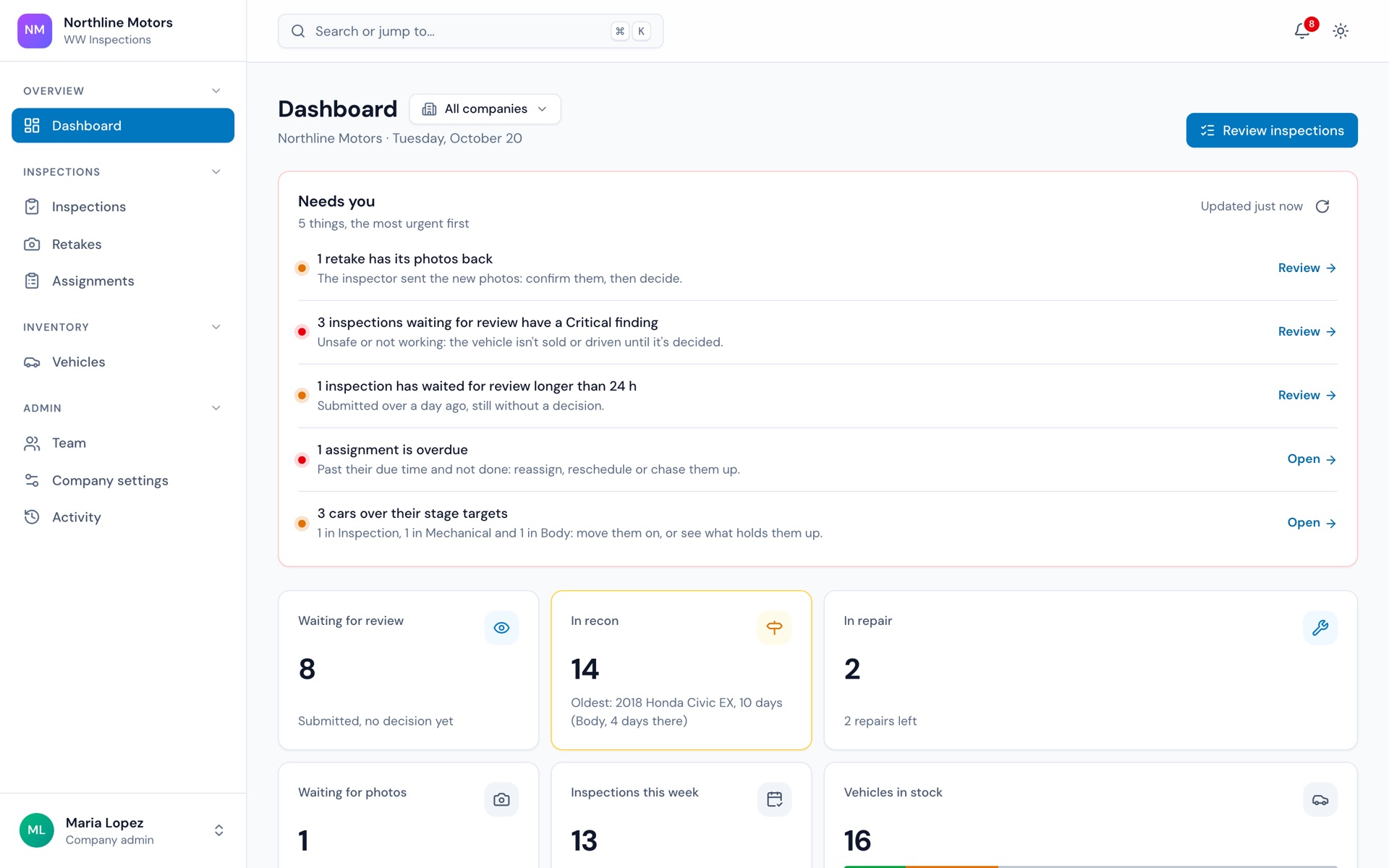
Paper checklists, missed photos, and reports nobody trusts.
A condition report decides what a car is worth and whether a van can run. It should be the most reliable document you have.
Steps get skipped. Photos get missed.
A paper checklist trusts memory. A guided app asks for every step and every photo, the same way, every time.
The office can't see what was checked.
Scattered photos and texts aren't a review. Each finding with its photo, in order, with one decision at the end, is.
Customers don't trust the report.
A clear report with photos, opened from a link on their phone, reads like transparency — not like a cover-up.
In the field, in the office, with the customer.
The inspector works in the app. The office works in the web admin. The customer just gets a link.
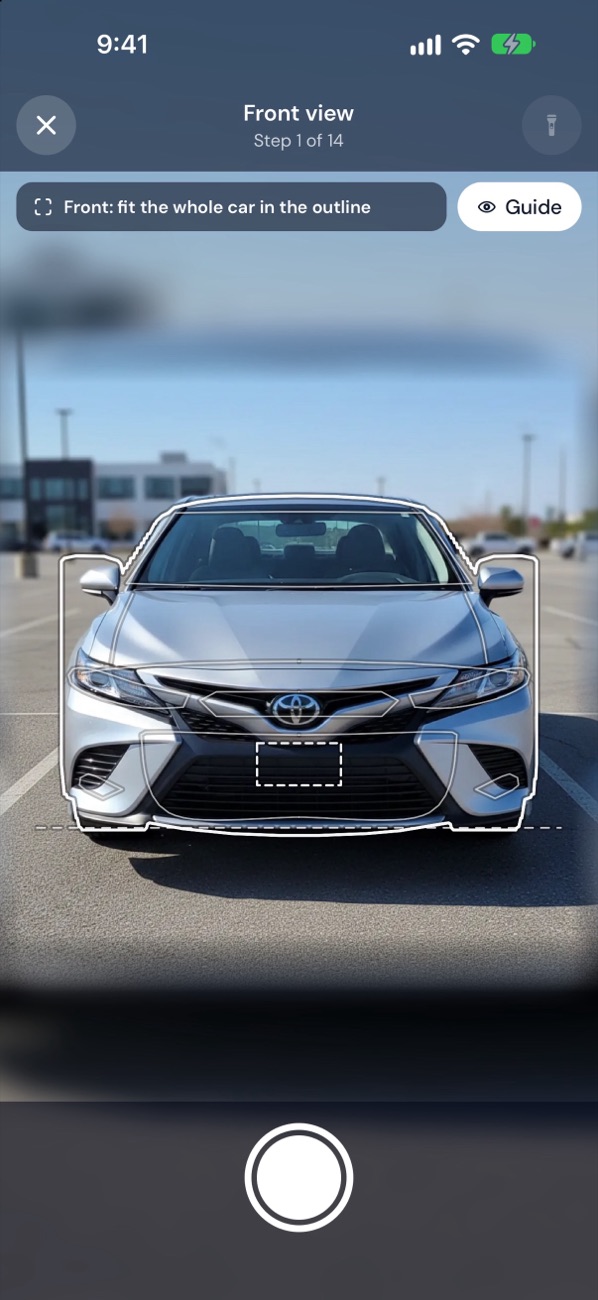
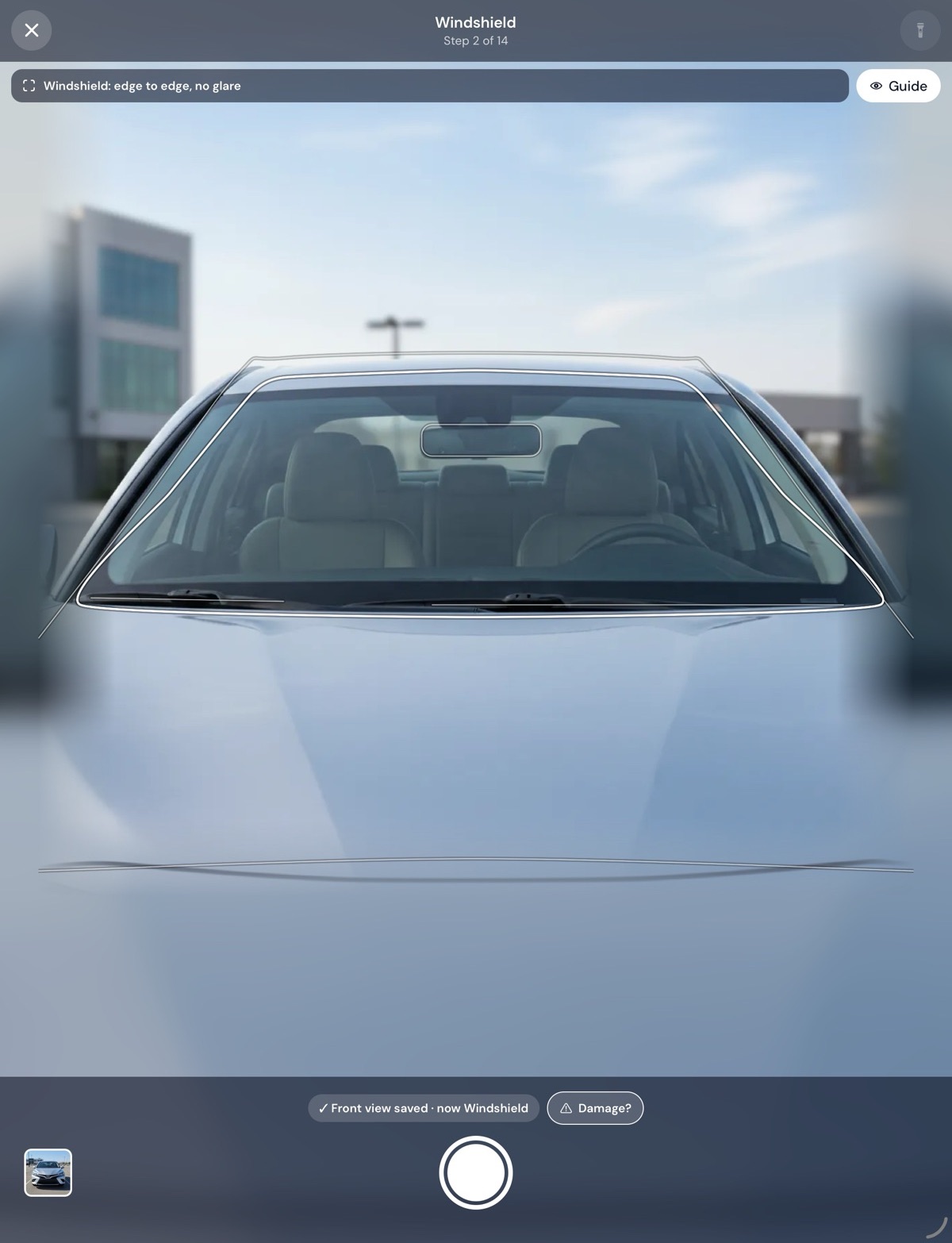
Guided photos for every shot
The camera draws an outline shaped to the vehicle for each view — front, sides, corners, tires, dashboard, VIN plate — with a sample to match. Too dark or too blurry, and it says so before the inspector moves on.
- Outline for every shot
- Sample photos
- Too dark or blurry? It says so
- VIN barcode scan
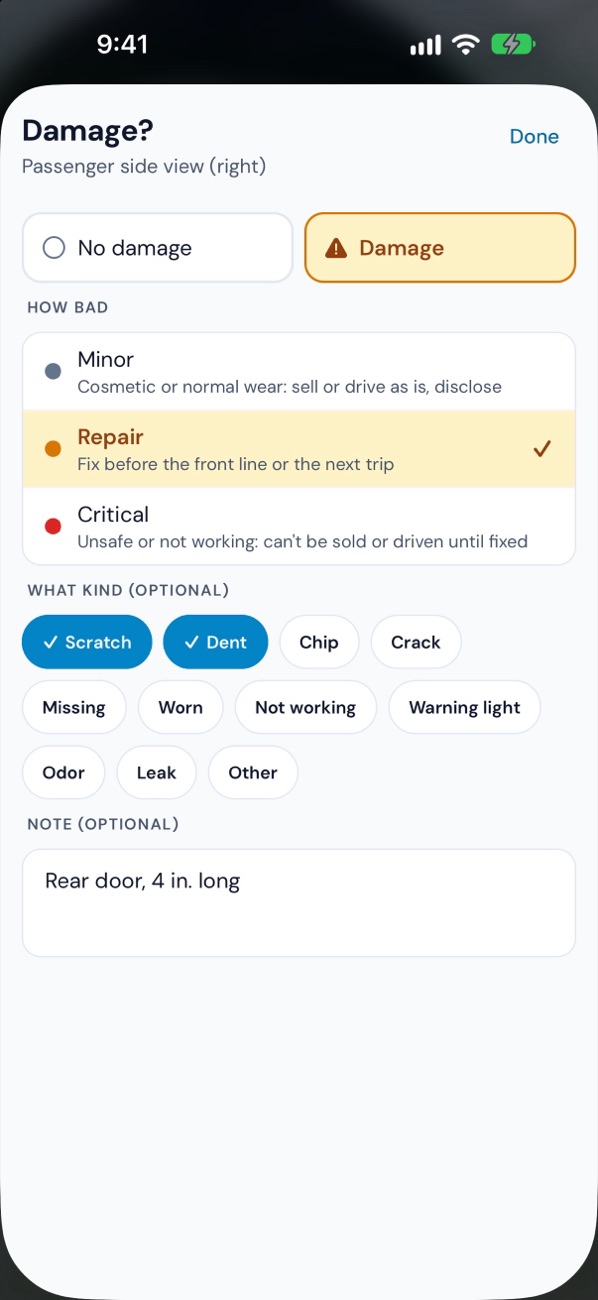
Damage in two taps
How bad — Minor, Repair or Critical — and what kind: scratch, dent, chip, crack and more. Add a note and keep shooting.
No signal? No problem.
Answers and photos save on the phone first and send themselves once there's a connection — even after the app is closed. Back lots and service bays included.
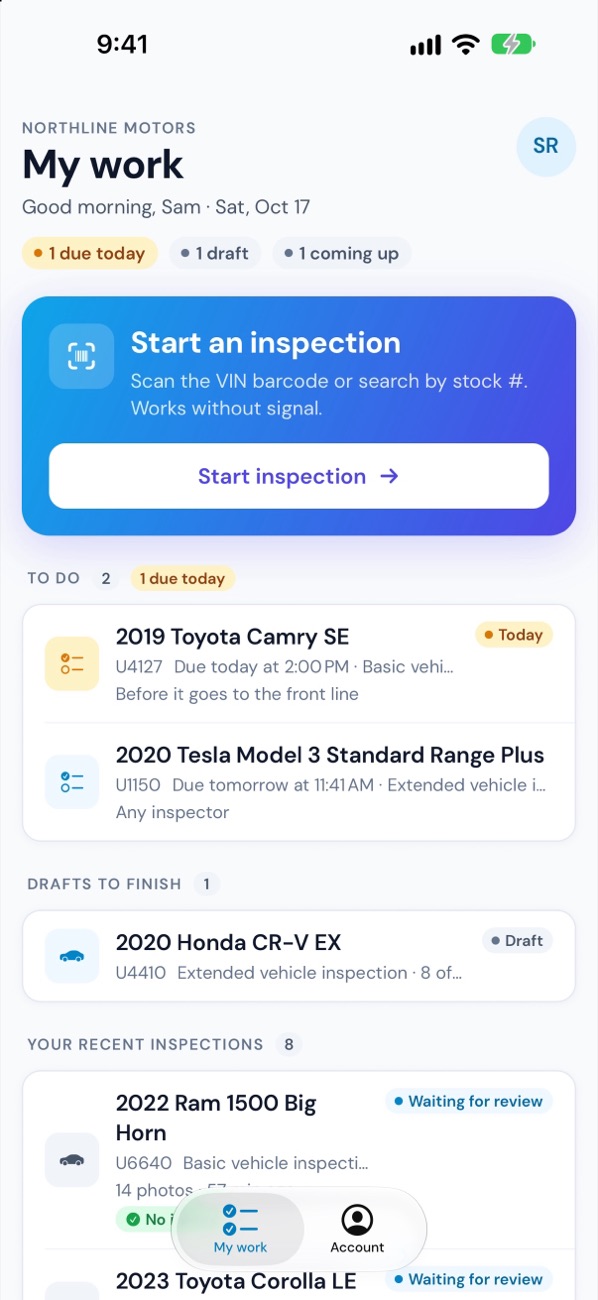
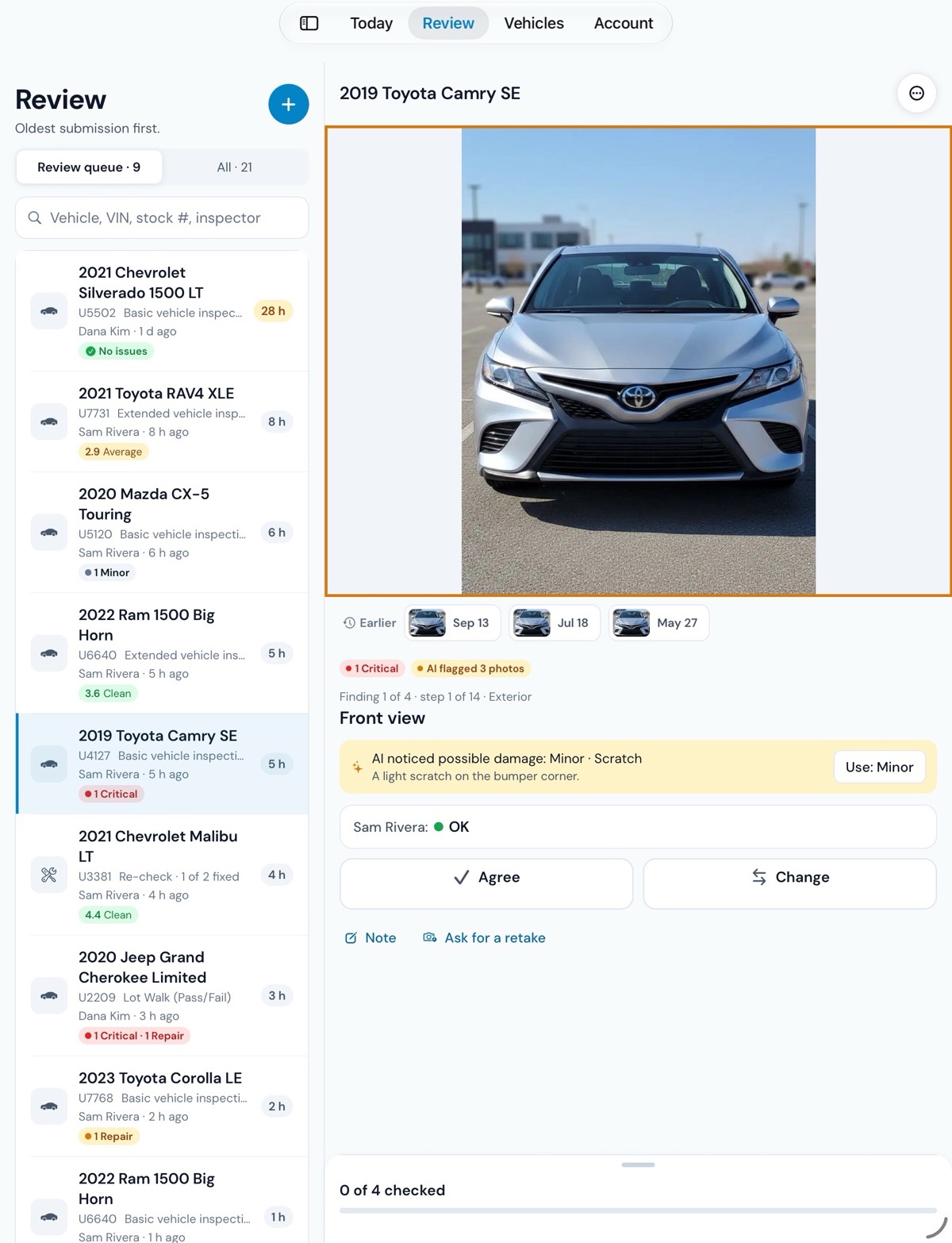
Review every finding, then decide
The office walks each finding with its photo: agree, change the level, or ask for a retake. The outcome — Ready, Needs work or Not for retail, or Pass / Fail — comes last, once everything has been checked.
- Finding by finding
- Retakes with a due date
- Notes for the team and the customer
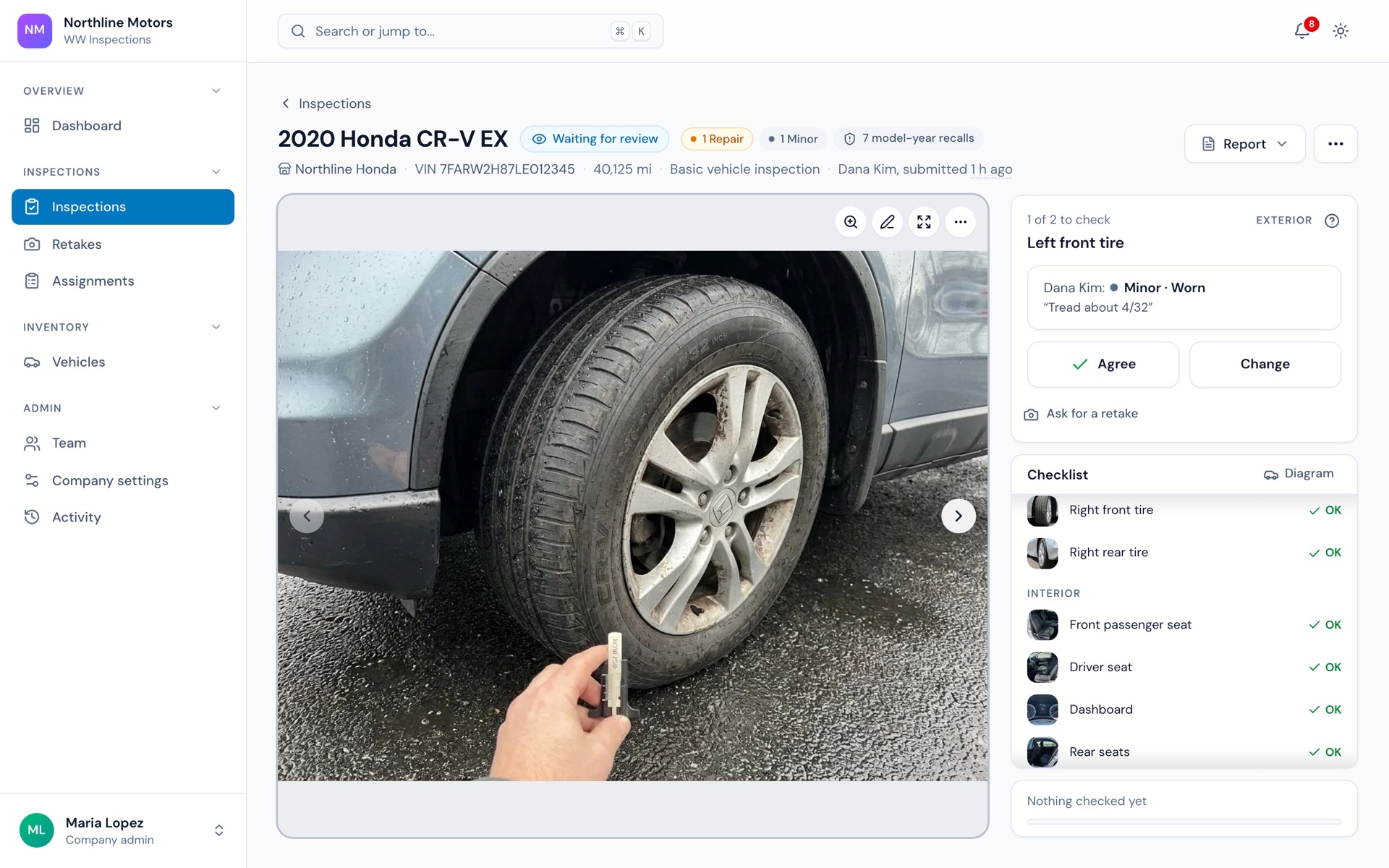
A report your customer reads
Share a link or a PDF with your logo. The customer sees what was found, with photos. Notes for your team stay inside.
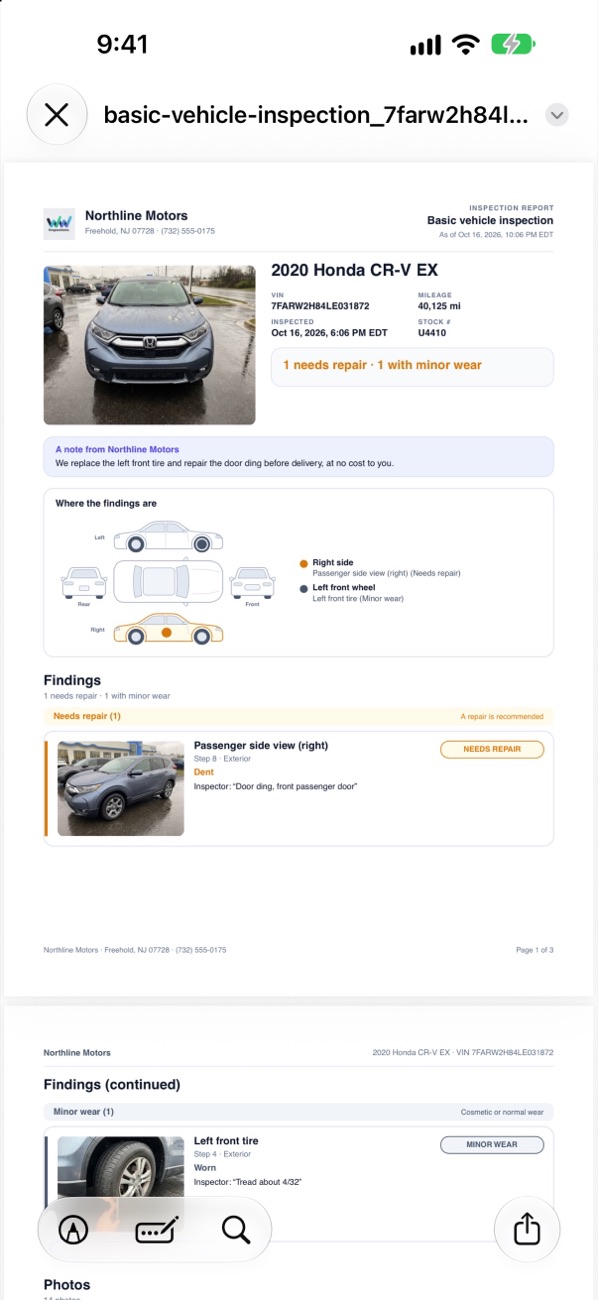
Every vehicle's whole story
Photos, readiness, recalls and factory specs, documents, services and every inspection — on one page, on the phone or the desk.
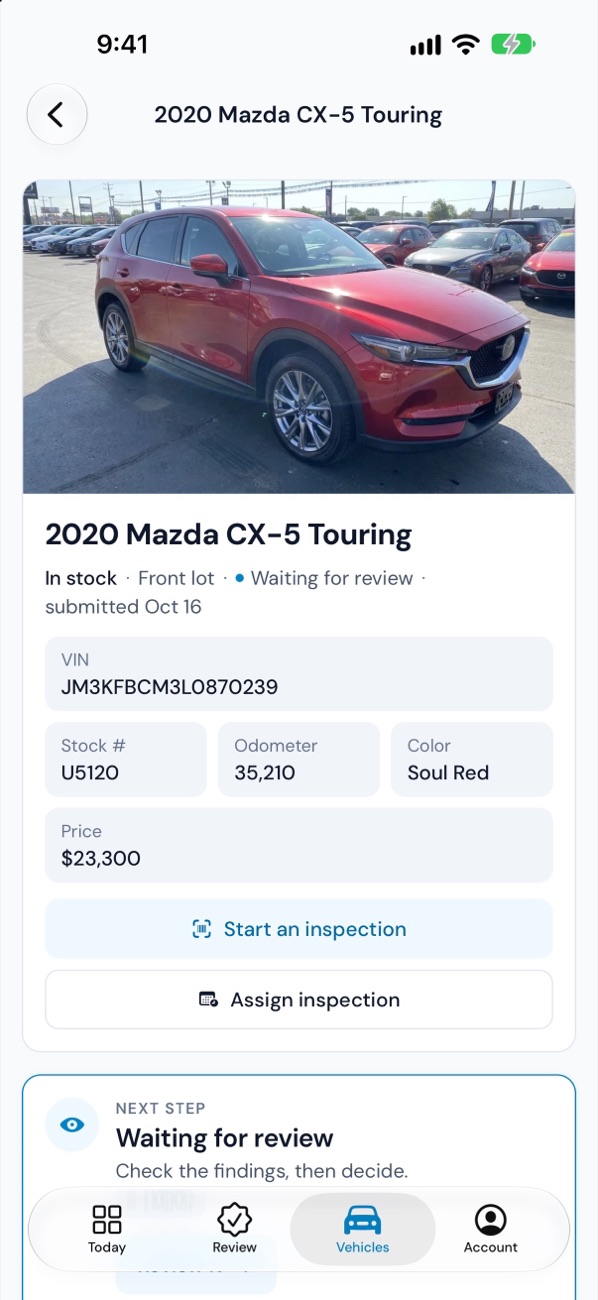
Get every car front-line ready, faster.
From the day a car arrives to the day it sells: inspected, reviewed, repaired and ready — with every step out in the open.
- Readiness that follows the decision: Ready, Needs work or Not for retail
- Recon stages with targets, so you see which car is stuck, and where
- Retakes and re-checks after repairs, without starting over
- Places on and off the lot, and hand-offs to body shops and detailers
- Inventory from a CSV, a Google Sheet or your DMS export, synced every hour
- Several stores under one company, each person seeing the stores they work at
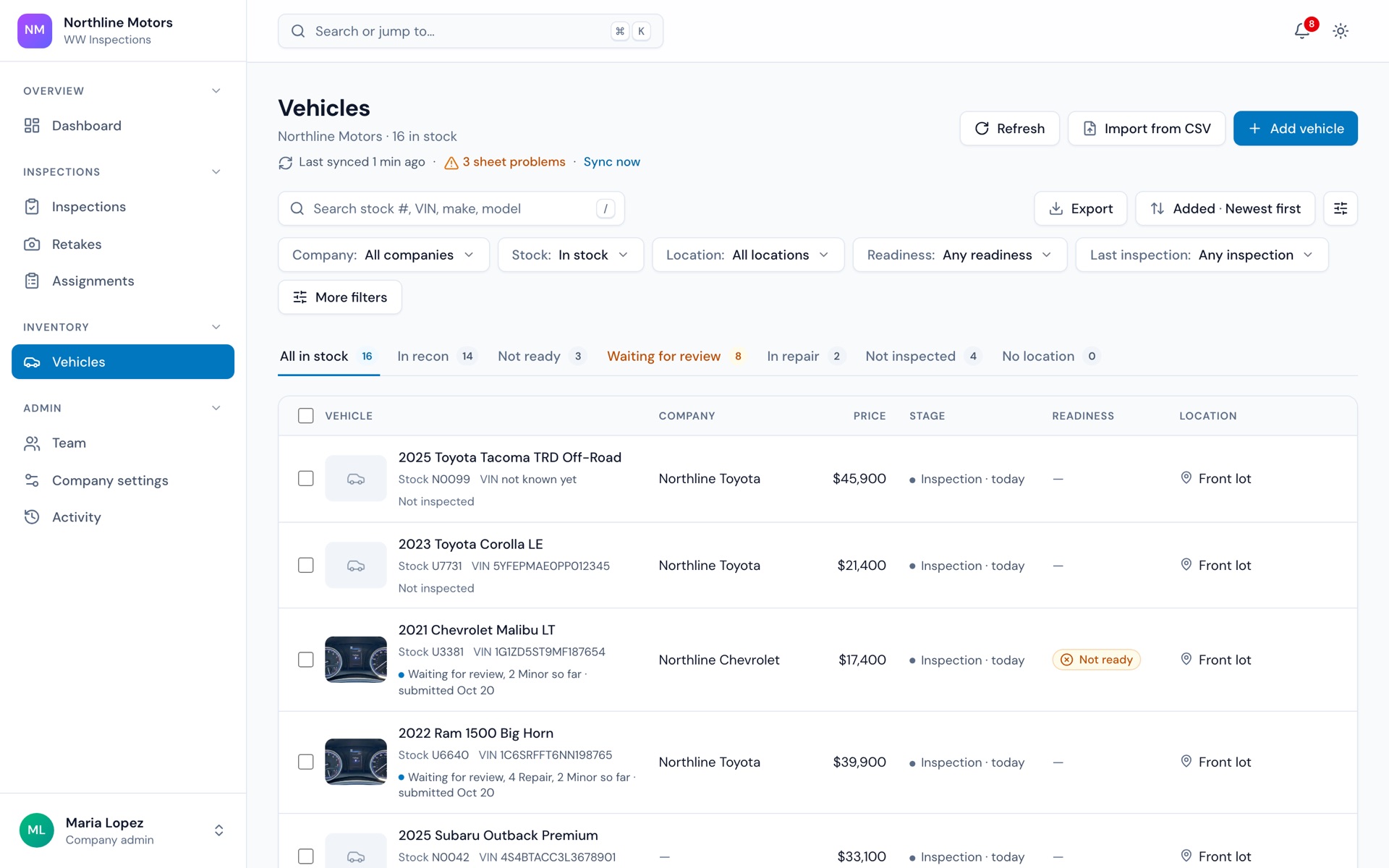
DVIRs your drivers finish — and the records to prove it.
Pre-trip and post-trip inspections on the driver's phone, defects certified before the vehicle runs again, and a DOT file ready when you need it.
- Pre-trip and post-trip DVIRs, with a photo of every defect
- Repairs certified with a signature — or marked not needed, with why
- The next driver reviews the last report and signs, as 49 CFR 396.13 asks
- Today's pre-trips at a glance: who's missing by the time you set
- A DOT file in one click: totals, a log of every report, and each report in full
- Registration, insurance and inspections with expiry dates; services due by miles or months
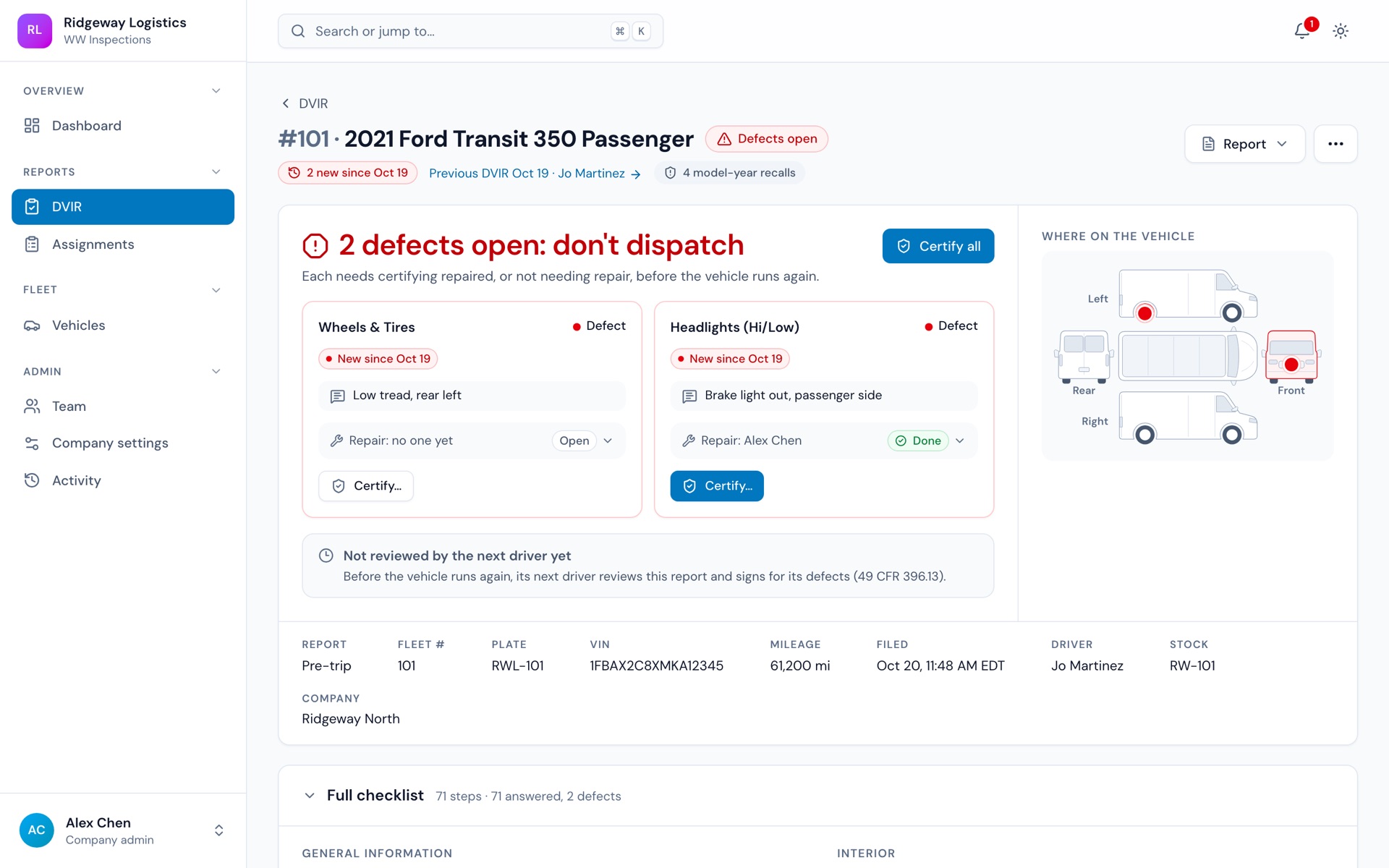
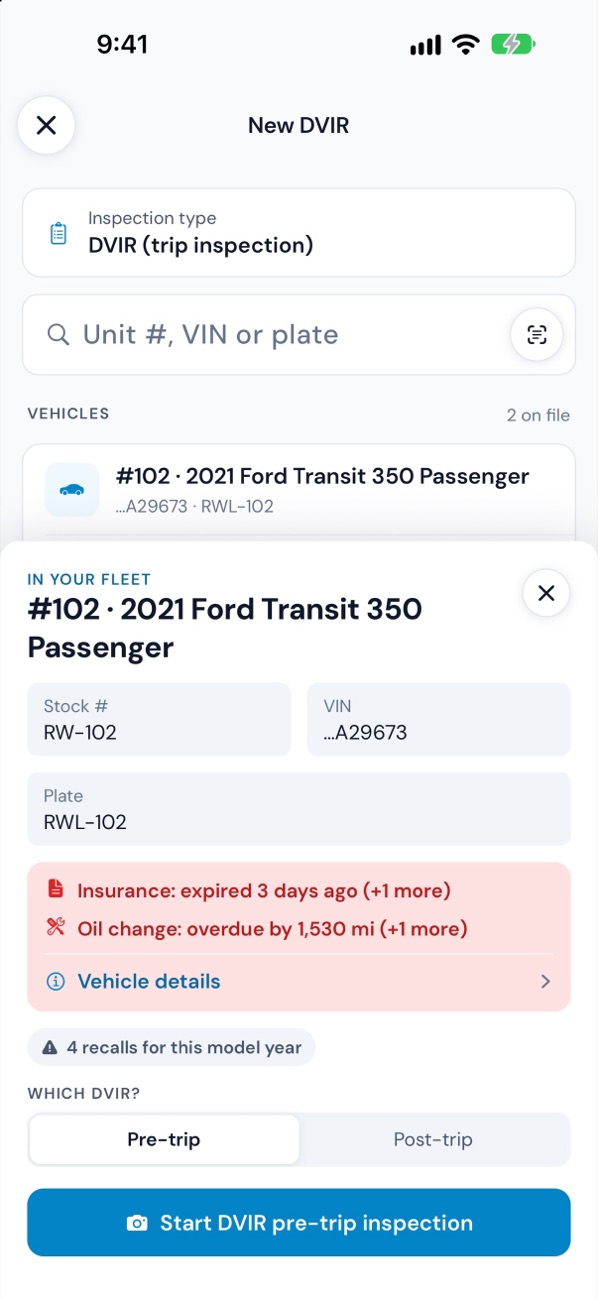
From the lot to the customer’s phone in four steps.
Find the vehicle
Scan the VIN barcode, or type a VIN, stock number, unit number or plate. The model year's recalls show before you start.
Inspect with guidance
Step by step: photos with outlines, conditions, readings, tire tread, signatures. Damage in two taps. Signal optional.
Review and decide
The office checks each finding, asks for retakes if needed, and decides. The vehicle's readiness follows.
Share the report
Text the customer a link or send the PDF. It carries your logo and leaves out your team's notes.
AI that helps your team. Never instead of it.
Every AI result is a suggestion your team takes or leaves — and AI can be switched off for any company.
Reads VINs and odometers
From a photo of the plate or the dash, so nobody types 17 characters by hand.
Checks photos as they're taken
Flags photos that are too dark or blurry, and possible damage worth a second look.
Drafts repair cost ranges
Ranges for the vehicle's year, make and model, for your service writer to adjust.
Writes condition summaries
A short write-up of the inspection in English and Spanish, ready for the customer.
On the phones your team already carries.
Inspectors and drivers use the WW Inspections app on iPhone, iPad and Android. The office works in the web admin on any computer — light or dark, with ⌘K to jump anywhere.
Coming soon: App Store & Google Play
iOS 16.4 or later · Android 7.0 or later · Any modern browser
Built to be trusted with your data.
Each company's data is walled off from every other company's. People see only the stores they work at. Every sign-in and change is on the record.
Isolated by company
Every request is scoped to one company at the database level — no shared views, no cross-company reads.
Access by person
Roles and permissions for each company, and store access for each person: all stores, one, or a few.
Two-step sign-in and audit log
Require authenticator codes for admins. Every sign-in, change and message is logged.
Google Cloud, United States
Encrypted in transit. Photos are served through short-lived signed links, never public ones.
For anyone who inspects vehicles for a living.
Franchise & independent dealers
One rooftop or a few: consistent inspections, honest condition reports and cars on the front line sooner.
Dealer groups
Many stores under one company, with store-by-store access and numbers, and one standard everywhere.
Fleets
Delivery vans, shuttles and service fleets: daily DVIRs, certified repairs, documents and maintenance in one place.
Dealers buying at auction
Inspect purchases as they arrive, watch the claim window, and keep the evidence for an arbitration claim.
Answers for dealers and fleet managers.
See WW Inspections on your lot.
Book a 20-minute demo. We’ll run an inspection end to end on a phone and show the office side with your own kind of vehicles.